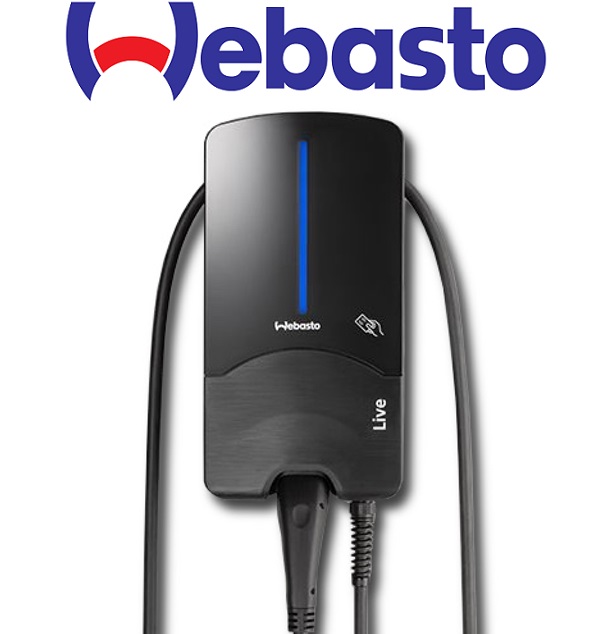
Webasto Next Wallbox
Description
Communication with the Webasto Next Wallbox can be done via Modbus TCP. Webasto Next Wallbox provides its data as a Modbus server to the controlling device, which is the client or master in the network. Each Webasto Next Wallbox must be addressed individually. Notice:
- In case of a parallel different description of registers 5000/5001 (Power) and 5004 (Current), 5004 behaves dominant. (Register 5000+5001 is only used if 5004 is empty or zero). - Activate the Modbus TCP communication (HEMS) within the WebUI (see additional downloads) - activate the expert view before - The LifeBit (register 6000) must be written all ½ of comTimeout (register 2002) so that the wallbox is in regular operation and Charging Current can be activated. If no Life Bit the comTimeout takes effect and the charging current / power can no longer controlled, the box jumps to safeCurrent (register 2000) and remains there. - The "Charged Energy" (register 1502) only supplies a value after the loading process has been completed; during 0. In the Webasto backend (WCC - Webasto Charge Connect), this value is calculated and displayed from the delta of the first MeterValue (at the start of a charging session) and the last MeterValue (at the end of a charging session).
The sample file of a successful customer integration was added to the downloads on 25.01.2024.
Inputs and outputs · 25
| Name | Type | Unit |
|---|---|---|
| Charge State | Modbus | <v.1> |
| EVSE State | Modbus | <v.1> |
| Cable State | Modbus | <v.1> |
| EVSE Error Code | Modbus | <v.1> |
| Total Charge Active Power | Modbus | kW |
| Charged Energy | Modbus | kWh |
| Max Current limit | Modbus | A |
| Charge Point State | Modbus | <v.1> |
| Current L1 | Modbus | A |
| Current L2 | Modbus | A |
| Current L3 | Modbus | A |
| Charge Active Power L1 | Modbus | kW |
| Charge Active Power L2 | Modbus | kW |
| Charge Active Power L3 | Modbus | kW |
| Energy meter | Modbus | kWh |
| Minimum current limit hardware | Modbus | A |
| Setted Charge Power | Modbus | kW |
| SafeCurrent | Modbus | A |
| ComTimeout | Modbus | <v.1> |
| Life Bit | Modbus | <v.1> |
| Set Charge Power | Modbus | kW |
| Start_Cancel Charging Session | Modbus | <v.1> |
| SafeCurrent | Modbus | A |
| ComTimeout | Modbus | s |
| Life Bit | Modbus | <v.1> |
FAQ
No questions have been answered yet.
Questions and answers
6A
OpenHi,
Ich habe bei einer Webasto NEXT das Problem, dass das Elektro Auto nur 6 Ampere / 4kW statt 16 Ampere / 11,1 kW zieht. Ich habe dazu zuerst mit dem Hersteller Webasto Kontakt aufgenommen, dieser konnte den Fehler auf einen Modbus Kommunikationsfehler zur Loxone zurückführen. Es wird über TCP/IP Modbus gesteuert, alle Modbus Register kommen gut rein in den Miniserver. Der Hersteller meint sollte die Webasto NEXT eben "falsche" Werte über die Loxone erhalten, würde die NEXT auf einen "Not" Betrieb umschalten und dem Auto nur 6 Ampere liefern statt 16 Ampere.
Habt ihr ein Demo Programm wo ich die Settings überprüfen kann? Danke! MfG Michael Paminger
1 reply
Update: All problems around LifeBit have been fixed and have been implemented in the 1.0.4 version of the template.
Webasto Next always in SafeCurrent
OpenHi, I have the same problem as above. Webasto Next is always in Safecurrent mode, never charging more than what's in Safecurrent (I used 8A).
I followed the guidelines exactly, like 10 times. I added the cyclic lifebit writing. I am really struggling with this charger, I made other chargers smart through loxone multiple times without error.
Thank you in advance.
13 replies
Hi, how you could set Safecurrent to 8A? mine is 6A and i couldnt find a option to increase that
Safecurrent is set in Webasto UI.
Did you manage to get any support from Loxone as developer of this library? Did you manage to get it working?
Dear users, Today we have uploaded a new version of the template and added the description of the template. We have also received the following information from the manufacturer: "The LifeBit (register 6000) must be written all ½ of comTimeout (register 2002) so that the wallbox is in regular operation and Charging Current can be activated. If no Life Bit the comTimeout takes effect and the charging current / power can no longer be controlled, the box jumps to safeCurrent (register 2000) and remains there." . Was this note taken into account during the last configuration? The LifeBit must be toggled.
thanks, i will try it, is there a example programm too?` so,... ComTimeout 2seconds > so LifeBit i have to set to 1?
That's the theory, unfortunately we don't have a test device at the moment. We would therefore be very interested to hear whether the SafeCurrent problem persists after adjusting the Lifebit + ComTimeout. We ask for feedback with the current version.
Hi Maximilian, sure i will test it here. i have a Sensor with "Life Bit" IO 6000. and i have a actor "Life Bit" IO 6000 and a actor "ComTimeout" IO 2002.
When i send on Actor Life Bit > 1 > Sensor Life Bit > answear 1 But what i have to do with the ComTimeout actor?
"ComTimeout" default value on Webasto Next is 60seconds. It´s a fix value.
You only need to vary the " Life Bit " .
Dear Mr. Stoll,
On the basis of 'loxone certified' library for this Webasto Next wallbox, and Loxone listed as 'compatible EMS' for Webasto Next wallbox, I was not ready for having to debug your libraries/functionalities or partners products. That's why I paid full price for Loxone and Webasto. Choices for both products were made on this 'certified compatibility' basis, which it is obviously not.
Multiple days spent on the thing, with nothing working at all. Always safecurrent. Tried this lifebit too. Around that time I was asking for support multiple times through multiple loxone channels, but not getting any. Also Mr. Paminger (same problem, same question) did not get any support, until I asked through the pro channels. We are both stuck at safecurrent.
Please acquire one of these boxes, with full testing on all firmwares before posting 'loxone certified' libraries and attracting the webasto manufacturer to list loxone as 'compatible EMS'.
Please how can you not have such a wallbox, and posting so-called certified working libraries. Acquire it, test it on all firmware versions, and then MAYBE post a library with loxones certification.
Alternatively I invite you over here to get it working on my Webasto Next wallbox, because I ACTUALLY HAVE ONE because of your library. That's all accompanied with coffee.
Take responsability please. Thank you.
More Info from me: i am also in Contact with Webasto, they telled me:
“I looked at the logs and noticed that there was a Modbus communication timeout. I adjusted the time here. The customer should now please try again. If it still doesn't work, you should contact your EMS manufacturer. That would have to be Loxone. The 6A is a fallback for exactly these communication problems. From my point of view, there is no technical problem with our hardware but simply an integration problem with the EMS and that is not our fault.”
so today i writted webasto, which life bit they need, maybe it help us to solve it...
It seams to be solved after changing a few things about the sensors and actors. The lifebit I previously used had to change to what's posted now, so that was my issue. The chargepower actor (and sensor) needs to have the 'register sequence' set. Then it works.
just a Update: got Info from Mister Stoll they will create a example Programm, as soon as possible.
And i got a feedback from webasto team:
They said: ModBusTImeOut = 60seconds
Loxone need to send all 30 Seconds a LifeBit "1" on the Actor "LifeBit" to the NEXT.
Dieter,
I have one working over here, I can help you out if you want.
Update: All problems around LifeBit have been fixed and have been implemented in the 1.0.4 version of the template.
webasto next rj45 half duplex pinout
Opendear loxone
i have checked the whole internet for the right half duplex pinout for the devasto next rj45 modbus pins but cant find them is there a standard i can use or does the webasto next indeed have a special half duplex pinout for the modbus rj45 connection
many thanks
1 reply
Hello the template is a modbus TCP template, this means that the device is communication over LAN, The print in the wallbox has a lan connection build in there is no need for special connectors or cables, if there is no LAN connection in the wallbox please contact the reseller of the device or the manufacture
Log in to rate, comment or ask a question. Log in
Ratings and comments
Dieter De Bels
Rated 1 of 5★☆☆☆☆
It just doesn't work, and there is no support at all. This shouldn't be in the library.
Maximilian StollCreator
Dear Dieter De Bels, Today we have uploaded a new version of the template and added the description of the template. We have also received the following information from the manufacturer: "The LifeBit (register 6000) must be written all ½ of comTimeout (register 2002) so that the wallbox is in regular operation and Charging Current can be activated. If no Life Bit the comTimeout takes effect and the charging current / power can no longer be controlled, the box jumps to safeCurrent (register 2000) and remains there." . Was this note taken into account during the last configuration? The LifeBit must be toggled.
Maximilian StollCreator
Update: All problems around LifeBit have been fixed and have been implemented in the 1.0.4 version of the template.
Michael Paminger
Rated 1 of 5★☆☆☆☆
actually not funcional
Maximilian StollCreator
Update: All problems around LifeBit have been fixed and have been implemented in the 1.0.4 version of the template.
Stefan Feitzlmayr
Rated 5 of 5★★★★★
Funktioniert einwandfrei!
Log in to rate, comment or ask a question. Log in