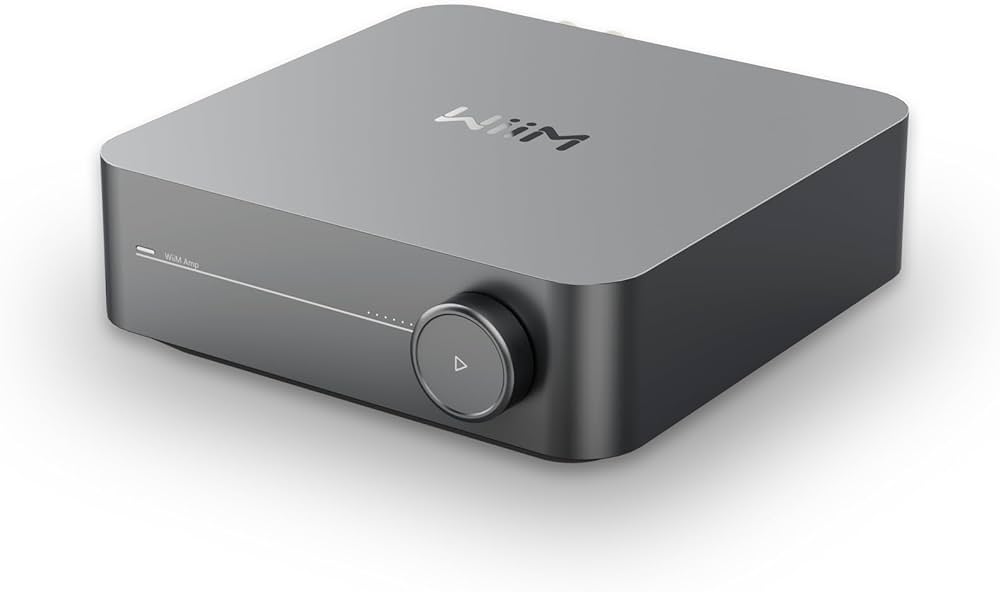
WiiM Amp
Content languageEnglish
Description
Control your WiiM audio products, including volume, play/pause, previous/next, mute, source. Use this template to use the Audio Player and Audioserver to control the Amp.
Inputs and outputs · 20
| Name | Type | Command | Unit |
|---|---|---|---|
| Play Pause Toggle | VirtualOut | /httpapi.asp?command=setPlayerCmd:onepause | |
| Volume | VirtualOut | /httpapi.asp?command=setPlayerCmd:vol:<v> | |
| Mute Toggle | VirtualOut | /httpapi.asp?command=setPlayerCmd:mute:1 | |
| Mute | VirtualOut | /httpapi.asp?command=setPlayerCmd:mute:1 | |
| Unmute | VirtualOut | /httpapi.asp?command=setPlayerCmd:mute:0 | |
| Line In | VirtualOut | /httpapi.asp?command=setPlayerCmd:switchmode:line-in | |
| Bluetooth | VirtualOut | /httpapi.asp?command=setPlayerCmd:switchmode:bluetooth | |
| Optical | VirtualOut | /httpapi.asp?command=setPlayerCmd:switchmode:optical | |
| USB | VirtualOut | /httpapi.asp?command=setPlayerCmd:switchmode:udisk | |
| WiFi | VirtualOut | /httpapi.asp?command=setPlayerCmd:switchmode:WiFi | |
| Pause | VirtualOut | /httpapi.asp?command=setPlayerCmd:pause | |
| Resume | VirtualOut | /httpapi.asp?command=setPlayerCmd:resume | |
| Previous | VirtualOut | /httpapi.asp?command=setPlayerCmd:prev | |
| Next | VirtualOut | /httpapi.asp?command=setPlayerCmd:next | |
| Stop | VirtualOut | /httpapi.asp?command=setPlayerCmd:stop | |
| Sequence, No Loop | VirtualOut | /httpapi.asp?command=setPlayerCmd:loopmode:0 | |
| Single Loop | VirtualOut | /httpapi.asp?command=setPlayerCmd:loopmode:1 | |
| Shuffle Loop | VirtualOut | /httpapi.asp?command=setPlayerCmd:loopmode:2 | |
| Sequence Loop | VirtualOut | /httpapi.asp?command=setPlayerCmd:loopmode:-1 | |
| HDMI | VirtualOut | /httpapi.asp?command=setPlayerCmd:switchmode:HDMI |
FAQ
No questions have been answered yet.
Questions and answers
Inputs + example config?
OpenHi, great to have this available ane managed by Loxone itself.
I will probably use WIIM + bookshelf speakers in rooms where I need audio, simply because it supports Google Cast.
However, I am missing inputs in the template. The API allows to get status of the unit, like input being played, current volume, etc. Is this part of the API implemented somewhere?
+ an example config would be great.
2 replies
Hi Marek
Did you figured out something new?
Regards
René
Yes, made it myself, will publish it here soon.
How to build a visualization of this player?
OpenHi Creator of this Library.
Thank you for this integration, it workes so far if I use the output on switches. Now I could build several switches and push buttons separatly to build somehow a user intreface in the loxone App.
As I do not have a Loxone Audio Player I did not figure out how to use the Media Player object in the program, to build such an integrated interface for one player. I think someone did already such an implementation.
Is it possible to add another download on this library with some screenshots on how the library can be integrated as a autonome media player?
Best Regards
René
1 reply
Hi René,
Thanks for reaching out! Apologies for the delay in our response here.
The integration is made with our Audio Player in mind so hopefully that explains why we do not currently have any mention of an alternative here.
Despite this, you could use the 'Media Controller' block to add these functions onto, this should grant the same level of functionality as the Audio Player. Alternatively, you could create a 'System Schematic' and add all the buttons onto a custom UI created by yourself. Please understand that since these two options are custom and require additional configuration, we do not have these listed on the template as to prevent confusion.
Thanks
- Open
Hi, could U please give a tips how to do all settings and how to set driver to control Wiim AMP with audio player block in Loxone Config, Thank U
2 replies
Hello Michal,
In the additional downloads there is a config example uploaded
hi. Thank U, im trying to figure out how to make it works. I will let U know if i did it :)
Thank U
- Open
Hello Marek Suk,
Thanks for your library!
Do you know if it is possible to launch a TTS missage as we do in Loxone AudioServer? In othercase send a mp3 file from a USB device
Regards, Miquel
1 reply
If you have a miniserver compact or audioserver in your installation what is linked to the amp via LineOut or SPDIF then you are able to do this. If you are online controlling the amp through the virtual outputs I do not think this is possible.
Multiroom integration
OpenHi, I’ve just finished a multiroom audio project for a client. My setup was a few audio zones in the rooms plugged into loxone audio server and a wiim amp with home cinema speakers for livingroom. I tried everything with airplay2 and it’s perfect. Unfortunately the client use android and he is not able to stream music to wiim amp and loxone zone simultaneously. Is this solution covering my problem or is it purely for controling something that is already playing on the wiim amp? If no, is there anybody who can help me with setting it up for android use? Thank you very much
1 reply
Hello Richard,
This is a template for the control of the WiiM Amp. What you are trying to do is solve a delay topic where you are putting multiple controller systems with differend delays into one system and trying to sync them. This can be done over Airplay as Airplay changes the delay based on the source as they have an hardware interface on every device. Over a line in you are not able to do this or a bluetooth connection. Also a spotify is not able to use multiple outputs at the same time.
I would suggest the use of the multiroom Audio system for all things music related and the use of the home cinema system for home cinema use.
If you whant both systems to be synced you need to stay in within the same line and brand of apmlifiers so that the systems can be synced. Like the HEOS system of Denon or the Audioserver, Stereo extension, Master/client setup from loxone.
Log in to rate, comment or ask a question. Log in
Ratings and comments
No ratings or comments yet.
Log in to rate, comment or ask a question. Log in