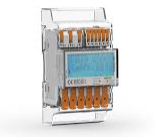
WAGO 879-3020
Content languageEnglish
Description
Read values of your Wago Modbus Electricity Meter via Modbus RTU.
Notice: In order to control your Electricity Meter with Loxone, you will ned a Loxone Modbus Extension.
Inputs and outputs · 18
| Name | Type | Unit |
|---|---|---|
| Voltage L1 | Modbus | V |
| Voltage L2 | Modbus | V |
| Voltage L3 | Modbus | V |
| Current L1 | Modbus | A |
| Current L2 | Modbus | A |
| Current L3 | Modbus | A |
| Power L1 | Modbus | kW |
| Power L2 | Modbus | kW |
| Power L3 | Modbus | kW |
| Frequency | Modbus | Hz |
| Total active power | Modbus | kW |
| Total apparent power | Modbus | VA |
| Total reactive power | Modbus | VAr |
| Total Energy Import | Modbus | kWh |
| Total Energy Export | Modbus | kWh |
| Total Energy Import L1 | Modbus | kWh |
| Total Energy Import L2 | Modbus | kWh |
| Total Energy Import L3 | Modbus | kWh |
FAQ
No questions have been answered yet.
Questions and answers
Probleme mit dem WAGO Zähler
OpenMoin,
wir haben die WAGO Zähler eingebaut und per Modbus angeschlossen.
Leider bekommen wir keine Werte und Fehler angezeigt.
Muss man den Zähler noch speziell einstellen?
Vielen Dank.
1 reply
Bei mir ging es anfangs auch nicht, du musst alle Parameter am WAGO kontrollieren bzw. einstellen so wie in der config, Baudrate, Adresse, Parität-Einstellungen.... Dann gings bei mir! Viel Spass...
Modbus table
OpenHello, I have a beginner's question. In the attached document to the electricity meter in the Modbus table, there are registers that do not match the used template. In the document, the L3 current is 5010, and in the template it is 20496. I need to make a sensor, and please send the register table. Thank you
1 reply
In case someone else has the same question. Please note that the WAGO Modbus manual specifies the Modbus register addresses in hexadecimal format and Loxone uses the decimal format for these addresses. --> 5010 (hex) is the same as 20496 (dec). The built-in Windows calculator can quickly convert between those formats.
Log in to rate, comment or ask a question. Log in
Ratings and comments
Markus Stöcklegger
Rated 5 of 5★★★★★
Alle Parameter am WAGO der Config angleichen, dann klappts auf anhieb, tolle Vorlage :-)
Michael Marending
Rated 5 of 5★★★★★
Thank you very much! Template works like a charm. Additional values can be added easily thanks to the attached WAGO Modbus manual. Obviously you need to configure the WAGO device locally with the correct Modbus address, baudrate, etc. before hand.
Log in to rate, comment or ask a question. Log in