Victron Modbus Integration
Content languageEnglish
Description
This template provides a Victron Modbus implementation that allows you to access your Victron system via Modbus TCP.
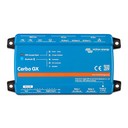
This example shows you how to connect to your Victron CerboGx device. It includes all the necessary analog sensors from Victron Modbus TCP devices, along with the relevant functions to collect important information from your Victron system and display it in the Loxone app.
The attachment contains the complete project file, which also includes all the necessary Victron Modbus devices and addresses to support the new Energy Flow Monitor within Loxone Config. Additionally, it provides monitoring for all relevant sensors in your Victron system, displayed in Loxone Config.
It was developed for our mobile tiny home project, which is based on a Victron system that supports grid and off-grid operations. For more informations visit our website and read our blog or check out our Loxone partner website.
Prerequisites:
1. Enable 'Modbus/TCP' on 'Services' menu within settings of CerboGX:
2. Navigate to 'Available services' and note the 'Unit ID' of following devices: com.victronenergy.system com.victronenergy.vebus com.victronenergy.solarcharger
3. Set the IP address and default port of CerboGX in the modbus server configuration in Loxone Config:
* For example: 192.168.0.129:502
Important: The Loxone Miniserver and Victron CerboGX must be on the same network. If not, please ensure that firewall port 502 (TCP) is open to allow established communication.
4. Set the "Device Address" by retrieving the Unit ID from the CerboGX settings in Loxone Config, located under each Modbus device:
* Change the address accordingly.
Note: To implement additional sensors or actuators, you can obtain the IO addresses from the Victron Modbus register using the official file link.
Congratulations, that's it! You can now publish your project on your miniserver.
Cheers, Maik Kampmann Kamptech
Inputs and outputs · 9
| Name | Type | Unit |
|---|---|---|
| AC Consumption L1 | Modbus | <v.1> |
| AC Consumption L2 | Modbus | <v.1> |
| AC Consumption L3 | Modbus | <v.1> |
| Battery Power (System) | Modbus | <v.3> |
| Battery State of Charge (System) | Modbus | <v.1> |
| Battery Voltage (System) | Modbus | <v> |
| Grid L2 | Modbus | <v.1> |
| Grid L3 | Modbus | <v.1> |
| Grid L1 | Modbus | <v.1> |
FAQ
No questions have been answered yet.
Questions and answers
Found bug
OpenHi,
IO-adres 842 "Battery Power" is a 16 bit signed integer, not unsigned.
Thanks for your integration!
Kind regards,
Werner
No replies
Log in to rate, comment or ask a question. Log in
Ratings and comments
No ratings or comments yet.
Log in to rate, comment or ask a question. Log in