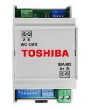
Toshiba BMS-IFMB0AWR-E
Content languageEnglish
Description
Enables dialog via MODBUS protocol of Toshiba ESTIA R410a systems with a BMS supervisory system.
Inputs and outputs · 16
| Name | Type | Unit |
|---|---|---|
| Zone1/2 On/Off | Modbus | <v.1> |
| Operation Mode | Modbus | <v.1> |
| Temperature setting Zone 1 | Modbus | <v.1> |
| Hot Water On/Off | Modbus | <v.1> |
| Temperature Setting Zone 2 | Modbus | <v.1> |
| Hot water temperature setting | Modbus | <v.1> |
| Auto temp Operation On/Off | Modbus | <v.1> |
| Hot water boost On/Off | Modbus | <v.1> |
| Auto temp operation On/Off | Modbus | <v.1> |
| Hot Water On/Off | Modbus | <v.1> |
| Hot Water temperature | Modbus | <v.1> |
| Zone1/2 On/Off | Modbus | <v.1> |
| Temperature Setting Zone 2 | Modbus | <v.1> |
| Temperature setting Zone 1 | Modbus | <v.1> |
| Operation Mode | Modbus | <v.1> |
| Hot water boost On/Off | Modbus | <v.1> |
FAQ
No questions have been answered yet.
Questions and answers
Please advice about modbus communication
OpenWe need to communicate with Toshiba Carrier heat pump 61WG045A, Air-to-Air Heat Exchangers VN-U00501SY-E and Grundfus water pump HYDRO MULTI-E 2 CRE 5-9.
Which Loxone module should we get.
1 reply
To integrate devices via Modbus RTU, you will need either the Modbus Extension (https://shop.loxone.com/deat/product/100124-modbus-extension ) or the Modbus Air module, depending on whether you are using wired or wireless communication.
Please check the IO adresses in Config16
Openthe template uses register adress 40004 to read temp. zone 1. 40004 - (start adress) 40001 = 3, means 3 is the IO adress to use in Loxone Config
No replies
Log in to rate, comment or ask a question. Log in
Ratings and comments
No ratings or comments yet.
Log in to rate, comment or ask a question. Log in