Swissframe Thermos Actuators
Content languageEnglish
Description
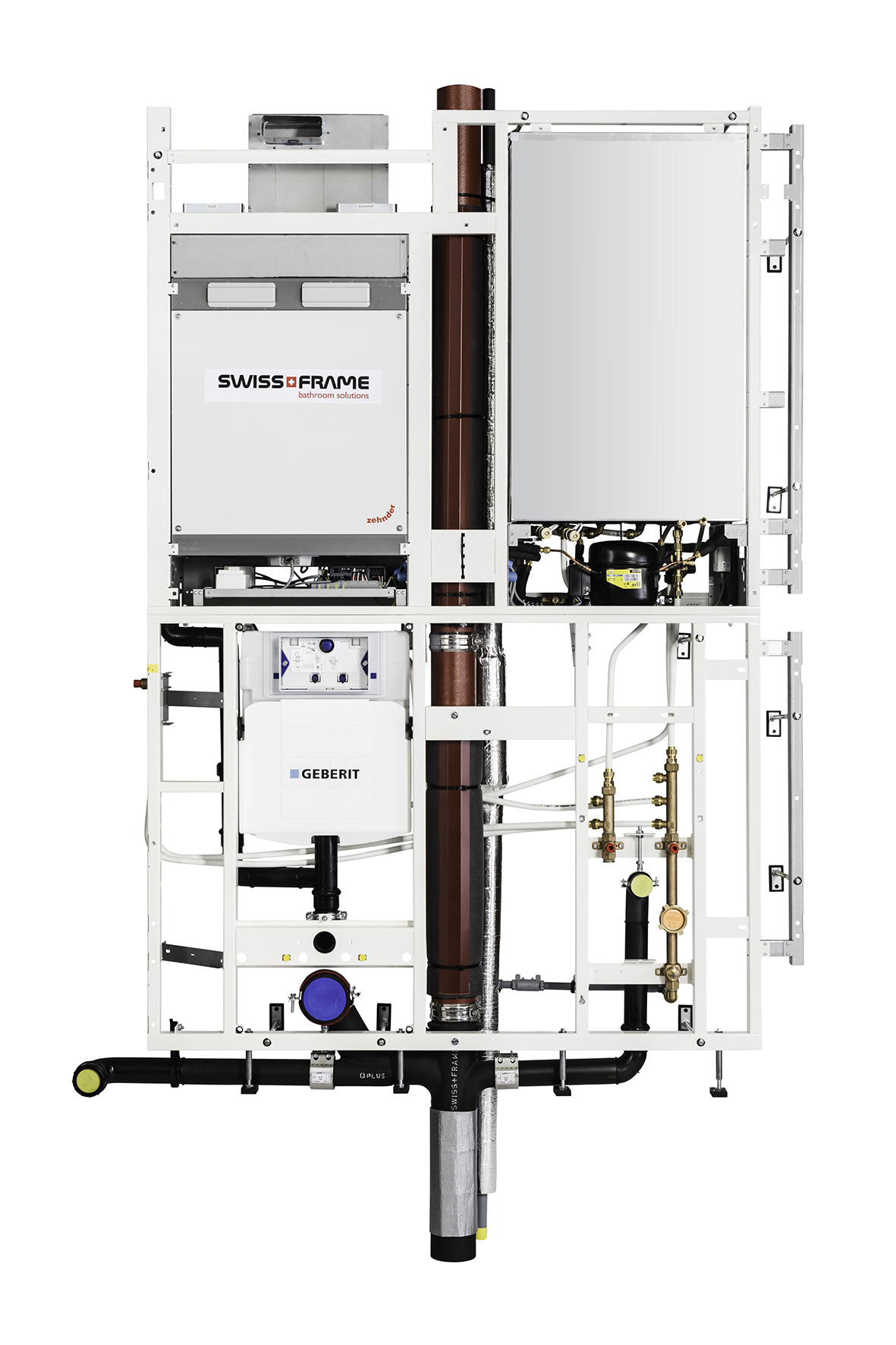
The Swissframe Thermos2 is a decentralized ventilation and hot water heating system that leverages advanced heat recovery and a heat pump for maximum efficiency. What sets this system apart is its robust technological integration, particularly through its API and Loxone plugin compatibility. With the Loxone plugin, users gain detailed access to a variety of system sensors, enabling real-time monitoring and control: -Plugin sensors (Swissframe Thermos Sensors) Ventilation sensors (Fan volume, air temperature, air quality...) Hot water system sensors (Energy used in kWh, reservoir temperature, hot water used...) cold water sensors (temperature, cold water used...) -Plugin actors (Swissframe Thermos Actuators) Ventilation (off/on/auto/cross ventilation...) Water Valve Flush Self-Consumption Optimization Level
From now on, the energy efficient Swissframe bathroom solution Thermos can be integrated into the Loxone system. This Template allows you to control the thermos system by means of selected virtual output commands. Thermos can be connected to Loxone over TCP.
1. compressor 2. condenser 3. filter / dryer 4. impact protection 5. thermal expansion valve 6. evaporator 7. pressostat 8. fresh air / supply air fan 9. exhaust air/exhaust air fan 10. outdoor air temperature sensor 11. temperature sensor exhaust air 12. temperature sensor exhaust air 13. temperature sensor evaporator 14. temperature sensor after heat exchanger 15. temperature sensor supply air 16. temperature sensor storage tank 17. exhaust air Co2 sensor (optional) 18. humidity sensor exhaust air (optional) 19. supply air VOC sensor (optional) 20. humidity sensor supply air (optional) 21. exhaust air VOC sensor (optional) 22. flat Co2 sensor (optional) 23. humidity sensor flat (optional) 24. outdoor air humidity sensor 25. air quality sensor outdoor air 26. humidity sensor exhaust air 27. air flow rate sensor exhaust air 28. temperature sensor supply to storage tank 29. leakage sensor 30. flat temperature sensor (optional) 31. low pressure sensor 32. high pressure sensor 33. temperature sensor compressor 34. temperature sensor cold water inlet Julia 35. temperature sensor cold water outlet Julia
Example: <VirtualOutCmd Title="Self-Consumption Optimization Level" Comment="Set the desired self-consumption optimization level. Level can be set to 0 (default mode) or between 1 and 3 (higher level = maximise the self-consumption optimization)" CmdOnMethod="PUT" CmdOffMethod="GET" CmdOn="/api/SCO/<v>?X-API-KEY=*ThirdPartyApiKey*" CmdOnHTTP="Content-Length:0" CmdOnPost="" CmdOff="" CmdOffHTTP="" CmdOffPost="" Analog="true" Repeat="0" RepeatRate="0" SourceValHigh="10" DestValHigh="10"/>
Title: The name of the command, in this case, "Self-Consumption Optimization Level." This describes the purpose of the command. Comment: A description of the command that provides additional information, such as possible values and their meanings (e.g., 0 for default mode and 1-3 for higher optimization levels). CmdOnMethod: Specifies the HTTP method used to activate the command. Here, it is "PUT." CmdOffMethod: Specifies the HTTP method used to deactivate the command. Here, it is "GET." CmdOn: The API endpoint that is called to activate the command. The placeholder <v> represents the value to be passed, and *ThirdPartyApiKey* is the API key for authentication. CmdOnHTTP: Specifies header information for the "CmdOn" request. In this case, it is Content-Length:0, indicating that no data is sent in the body of the request. CmdOnPost: An optional POST body for the "CmdOn" request, which is empty in this example. CmdOff: The API endpoint for deactivating the command, which is also empty here. CmdOffHTTP: Header information for the "CmdOff" request, which is likewise empty. CmdOffPost: An optional POST body for the "CmdOff" request, which is also empty. Analog: A Boolean value (here "true") indicating whether the command is analog. Repeat: Indicates whether the command should be repeated (here "0," meaning it will not repeat). RepeatRate: Indicates the rate of repetition, also "0," which means no repetition occurs. SourceValHigh and DestValHigh: Both values are set to "10," likely representing maximum values for the source and destination.
Self-Consumption Optimization Level (Comment: 0/1/2/3) Ventilation Control State (Comment: off/auto/cross ventilation) Water Valve Flush (Comment: true / false)
More Information about the company Swissframe and their other systems can be found here. A sample file of the Loxone config can be found in the attachment "Swissframe - Thermos.Loxone".
Inputs and outputs · 3
| Name | Type | Command | Unit |
|---|---|---|---|
| Self-Consumption Optimization Level | VirtualOut | /api/SCO/<v>?X-API-KEY=*ThirdPartyApiKey* | |
| Ventilation Control State | VirtualOut | /api/Status/Control/ventilationControlState/<v>?X-API-KEY=*ThirdPartyApiKey* | |
| Water Valve Flush | VirtualOut | /api/Status/Hardware/waterValve/flush/<v>?X-API-KEY=*ThirdPartyApiKey* |
Ratings and comments
No ratings or comments yet.
Log in to rate, comment or ask a question. Log in