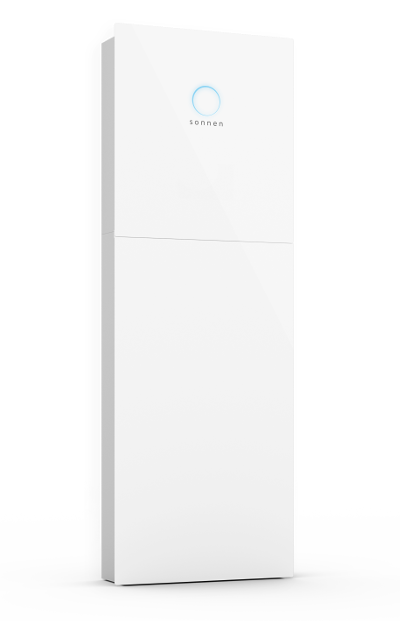
Sonnen Battery Storage API V2
Content languageEnglish
Description
Read out your Sonnen Battery Storage system with this templates. You are also able to control the battery system with this templates.
You want to store your solar power when the sun is shining and access it again in the evening or at night? That's no problem with the sonnenBatterie! Because with the sonnenBatterie you can almost completely supply yourself with self-generated electricity from your solar system. The sonnenBatterie stores surplus electricity from your photovoltaic system that you don't need at the moment and makes it available again later. In the evening and at night, you can use the stored energy from the day. This creates real independence in your home and visibly reduces your electricity costs. https://youtu.be/8ef3fpXlSmw
API documentation https://jlunz.github.io/homeassistant/#/api/putApiV2Configurations
Inputs and outputs · 5
| Name | Type | Command | Unit |
|---|---|---|---|
| GridStatus | VirtualInHttp | \i"SystemStatus":"\i\s1\1 | <v.1> |
| Battery Charge Level | VirtualInHttp | "USOC":\v | % |
| Consumption | VirtualInHttp | "Consumption_W":\v | w |
| Production | VirtualInHttp | Production_W":\v | w |
| GridFeedIn | VirtualInHttp | "GridFeedIn_W":\v | w |
FAQ
No questions have been answered yet.
Questions and answers
Batterie laden und entladen
OpenDie genannten Werte wären schön zu haben. Sonst macht das keinen Sinn in Loxone einzubinden.
No replies
Set time schedule for Time-of-Use would be great to have
OpenHello, we are using this template in our configuration. To optimize the energy management, we also load energy from grid to batteriy if price is low. To do this, I could not find or create a solution with Loxone Virtual Outputs. All things I tried did fail.
My current solution: Loxone triggers Raspberry to send time schedule to battery (you can find the php code at the end of this message). It would be perfect if we can get rid of Raspberry and use Loxone only to send this via virtual output.
Regards André
$url = "http://192.168.178.73:80/api/v2/configurations";
$filedata = array("EM_ToU_Schedule" => "[{\"start\":\"20:00\",\"stop\":\"23:00\",\"threshold_p_max\":46000}]");
$headers = array("Auth-Token:xxxxxxxxxxxxxxxxxxxxxxxxxx"); $ch = curl_init($url); curl_setopt($ch, CURLOPT_VERBOSE, 1); curl_setopt($ch, CURLOPT_URL, $url); curl_setopt($ch, CURLOPT_CUSTOMREQUEST, "PUT"); curl_setopt($ch, CURLOPT_RETURNTRANSFER, true); curl_setopt($ch, CURLOPT_HTTPHEADER, $headers); curl_setopt($ch, CURLOPT_POSTFIELDS, $filedata); $resp = curl_exec($ch); $err = curl_error($ch); curl_close($ch);
// JSON lesen $json_decoded = json_decode($resp);
No replies
Virtueller Ausgang funktioniert nicht
OpenHallo zusammen, leider kann ich keine Befehle an die sonnenBatterie senden. Ich habe, wie beschrieben, die IP-Adresse und den Token angepasst, bekomme jedoch immer diese Fehlermeldung: 34 19:24:59.619 WWS Response 1xx.xx.xx.xx /api/v2/configurations?EM_OperatingMode=2 HTTP/1.1 400 Bad Request\r\nDate: Sun, 10 Mar 2024 18:24:57 GMT\r\nContent-Type: application/json\r\nContent-Length: 75\r\nConnection: close
33 19:24:59.518 WWS Request 172.18.22.26 /api/v2/configurations?EM_OperatingMode=2 PUT /api/v2/configurations?EM_OperatingMode=2 HTTP/1.1\r\nHost: 1xx.xx.xx.xx\r\nUser-Agent: [en]\r\nContent-Length: 1\r\nContent-Type: application/json; charset=utf-8\r\nConnection: close\r\nAuth-Token:
Setze ich über den Terminal in macOS den nachfolgenden Befehl ab, ändert sich im Dashboard der sonnenBatterie der Status: curl -X PUT -d EM_OperatingMode=1 --header 'Auth-Token: TOKEN' http://1xx.xx.xx.xx/api/v2/configurations
Wäre super, wenn ihr mich hier unterstützen könntet.
Danke schon mal und viele Grüße
1 reply
Kleines Update: Stelle ich im Dashboard der sonnenBatterie auf "Manuell" kann ich die Befehle Charge und Discharge ausführen - ich kann nur den Befehl für das Umstellen der Betriebsmodi nicht senden, da passt irgendwas im Template nicht, aber ich weiß nicht was.
Log in to rate, comment or ask a question. Log in
Ratings and comments
Andre Owerfeldt
Rated 4 of 5★★★★☆
Nearly perfect, only missing is time-of-use schedule
Log in to rate, comment or ask a question. Log in