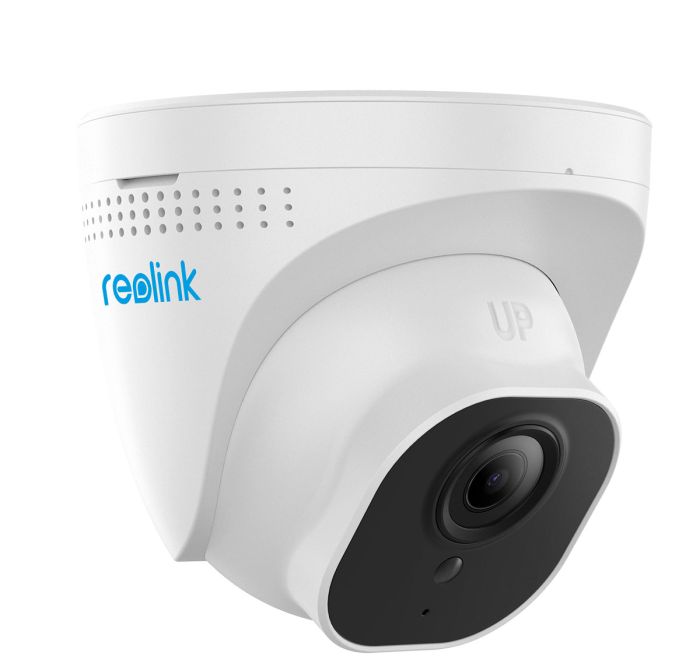
Reolink IP CAM
Content languageEnglish
Description
Step 1. Enable HTTP or HTTPS port for your camera on the Reolink Client. (ref How to Set up Reolink Ports Settings via Reolink Client.)
Step 2. Enter the URL below in Loxone userdefined intercom block to get the video.
http://(ip address)/cgi-bin/api.cgi?cmd=Snap&channel=0&user=(user name)&password=(user password)
For example, if your IP address is 192.168.2.119, the username is admin and the password is 123456, then the URL should be: http://192.168.2.119/cgi-bin/api.cgi?cmd=Snap&channel=0&user=admin&password=123456
If you use HTTPS, then the URL should be:
https://192.168.2.119/cgi-bin/api.cgi?cmd=Snap&channel=0&user=admin&password=123456
If you want to get the JPEG snap of the substream, please add resolution (width and height) at the end of the URL. The link is as below:
http://192.168.2.119/cgi-bin/api.cgi?cmd=Snap&channel=0&user=admin&password=123456&width=640&height=480 or https://192.168.2.119/cgi-bin/api.cgi?cmd=Snap&channel=0&user=admin&password=123456&width=640&height=480
Note: This request only applies to the camera with the hardware version of 51X, not totally proper for the cameras with the hardware version of 523/566, which do not necessarily capture the picture according to the width and height filled in the URL but automatically captures a picture that is closest to the code stream of this model according to the width and height set by the URL. For example, the URL width and height of RLC-511WA are set as 1024*768, but the actual captured picture is 2560*1920 (mainstream), because this model does not have a resolution of 1024*768.
Inputs and outputs · 3
| Name | Type | Command | Unit |
|---|---|---|---|
| Reboot camera | VirtualOut | /cgi-bin/api.cgi?cmd=Reboot&action=0&user=Your_User&password=Your_Password | |
| IR Lights Auto | VirtualOut | /cgi-bin/api.cgi?cmd=SetIrLights&user=Your_User&password=Your_Password | |
| IR Lights OFF | VirtualOut | /cgi-bin/api.cgi?cmd=SetIrLights&user=Your_User&password=Your_Password |
FAQ
No questions have been answered yet.
Questions and answers
Can't Import the library
OpenI have downloaded the library, and the loxone config imports the library fine, but when I try to search for the library I cannot find it.
Can I receive notifications of movement of people or objects to the miniserver?
2 replies
I would also be interested to know whether you can use movements as triggers and whether the light of the camera can be controlled.
Hi, It might be possible to get a visual input for motion detection. But this will only be checked every 10second. So i'ts possible that the detection will not be optimal. Need to check the API.
Lights on camera can be controlled.
BR eirik
Invalid format or incorrect template type
OpenI have downloaded and imported the template. When I then search for the template and want to use it, I get the error message "Invalid format or incorrect template type".
Can anyone help me?
3 replies
Hi, I tested the download and it's working for me. I'm using Loxone Config 14.5.12.7.
BR eirik
Hi Eirik,
Thanks for your quick feedback.
I have downloaded the template again, but unfortunately I still have the same problem. I still get the error message "Invalid format or incorrect template type".
The template is also not listed under Virtual output http templates but I can only find it via search.
I am also using Loxone Config 14.5.12.7.
Thanks in advance for your help!
KR Flo
Hi, is there any news? Unfortunately, it's still not working properly for me.
Import doesn't work
OpenI have the same problem as a colleague above, the Imported library does not appear anywhere.
1 reply
I have uploaded a new template, it’s for review at the moment. You will find it under Virtual output http templates.
BR Eirik
doesn\'t work
OpenHello, I downloaded the file, but it doesn't work, it can be found under "Network Template", according to the search. When I click on it I get an error message saying it doesn't work...
Do you have any idea?
Thank you very much and kind regards
3 replies
Hi, It's not a nettwork template but Visual output template (to controll IR light, reboot cam, etc.) To show video in userdefined intercom, you only need to past the URL http://(ip address)/cgi-bin/api.cgi?cmd=Snap&channel=0&user=(user name)&password=(user password).
BR er
Hello, no, that's clear, but in the config it is "ONLY" found as a network template.
But could you tell me how you did it to turn the lights on/off?
Thank you very much Manuel
Hello,
is there something new, the template is still not shown under the virtual inputs or virtual outputs.
regards
Audio stream
OpenBeste Maker,
Bedankt voor het integreren van de koppeling met reolink. Nu heb ik deze geïntegreerd in loxone. Dit werkt verder perfect. Nu willen we deze als babyfoon gebruiken, en is audio erg belangrijk.
Nu kan er in de config de instellingen Host voor Audio intern worden ingevuld. Helaas krijg ik nog geen audio al geeft deze wel aan verbinding tot stand brengen. Zou u mij hier verder mee kunnen helpen? ( hoe en wat moet hier ingevuld worden?
Met vriendelijke groet,
Roy Weijers Weijers Installatie & Service
No replies
Kamera Model
OpenHello, my customer use RLC-833A - is it possible to connect with this type?
Thanks, best Regards Andi
No replies
Kamera Model
OpenHello, my customer use RLC-833A - is it possible to connect with this type?
Thanks, best Regards Andi
No replies
Info
OpenJust info that it works fine with model RLC-520A (version IPC_MS1NA45MP) for snapshot and video. But no commands to/from camera.
No replies
Reolink E1 outdoor Pro
OpenGood morning, I am using Reolink E1 outdoor pro with standard user and empty password. Unfortunately http//: doesn’t work. http://192.168.178.100/cgi-bin/api.cgi?cmd=Snap&channel=0&rs=wuuPhkmUCel9WG7C&user=admin&password= I also tried RTSP, same result, doesn’t work. Any idea what’s wrong or if the E1 is supported by Loxone. I guess the E1 doesn’t work with HTTP://
Thanks and have a nice weekend
Manfred
2 replies
Hi, have you enable the HTTP and HTTPS ports in your camera's settings?
Yes, I did. Just wounding if Reolink E1 provide with mjpg or only RTSP. My D-Link camera works very well with mjpg
Turn on the camera lamp
OpenCreate new input with adress cam : http://192.168.1.78 (for example
commando aan : /cgi-bin/api.cgi?cmd=SetWhiteLed&user=[USER]&password=[PASS] Header aan : application/x-www-form-urlencoded body aan : [{"cmd":"SetWhiteLed","param":{"WhiteLed":{"state":1,"bright":100,"channel":0}}}] methode aan : POST
Turning it off is the same, only then "state":0 And check "Use as digital output"
No replies
Does it work with RLC-840A
OpenI try to configure the camera and I already got a picture, but no Video. You may help me?
1 reply
Please verify the API for the RLC-840A, as this is a newer model and the API may have changed. Update the commands to match the new API specification, and it will likely work.
Reolink Kamera
OpenKann auch die Reolink 4K PoE Überwachungskamera Aussen (E1 Outdoor SE PoE) in Loxone eingebunden werden
1 reply
Please check the API for the Reolink E1 Outdoor SE PoE, as this is a newer model and the API may have changed. If necessary, update the commands to match the current API. It will likely work once the commands have been updated.
Log in to rate, comment or ask a question. Log in
Ratings and comments
No ratings or comments yet.
Log in to rate, comment or ask a question. Log in