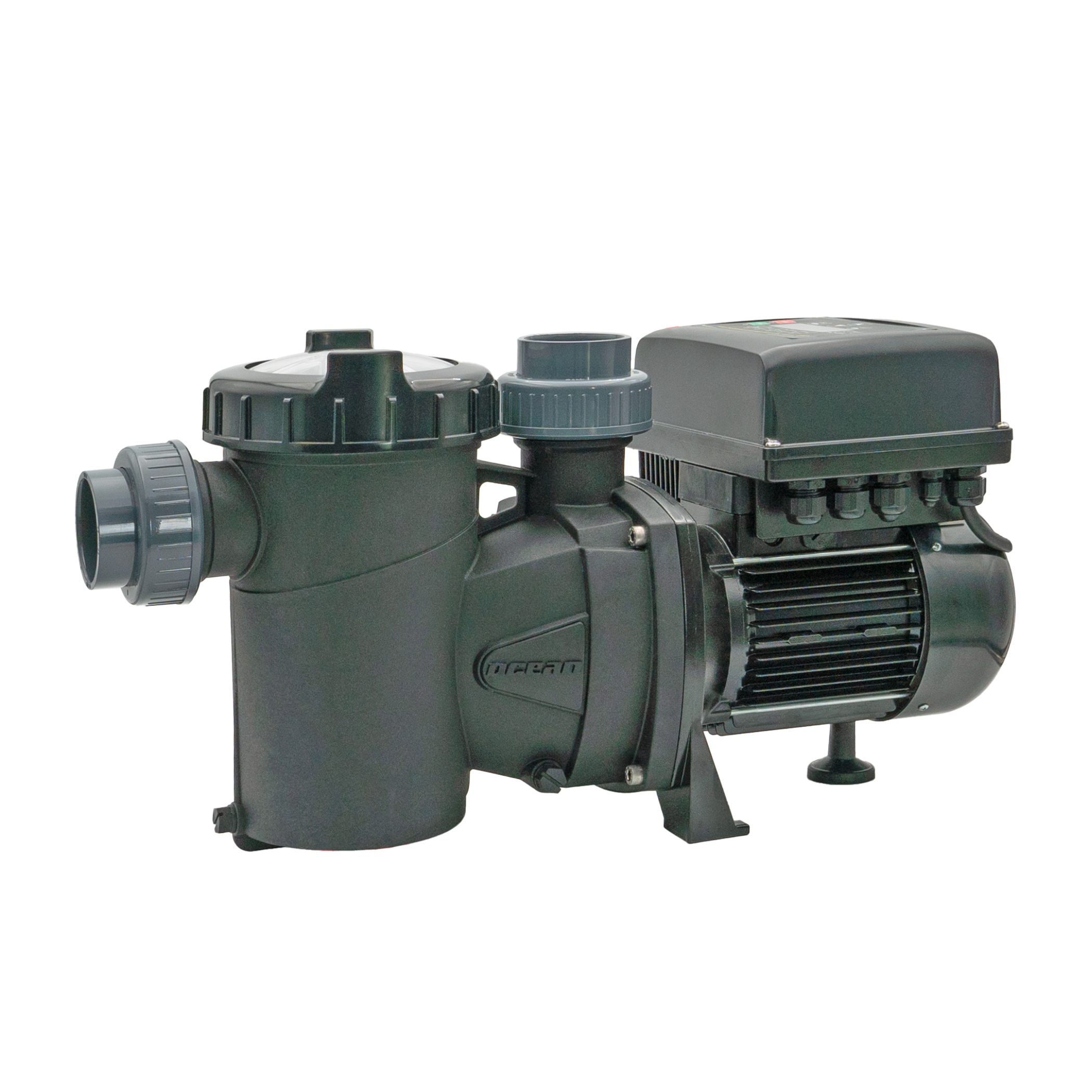
Ocean Poolpump Inver iQ 300
Content languageEnglish
Description
The self-priming Ocean® pool pump Inver iQ 300 is equipped with inverter technology, is infinitely variable and can be operated at variable speed. The pump can be used for various pool sizes. The new IE4 permanent magnet motor is quiet and highly efficient. Compared to a conventional ON/OFF pump, energy savings of up to 82 % can be achieved. The sensorless and brushless design of the motor extends the service life of the bearings and mechanical parts. The pump is equipped with MODBUS-RTU and therefore has an open interface for integration into iQnnect and smart home systems. The pump can also be controlled via the digital inputs using devices from the Aquastar series. This allows you to benefit from advantages such as demand-based filter performance during filtering and backwashing. Alternatively, the control unit can also be installed up to 30 m away from the pump (minimum cable cross-section to the motor 4 x 2.5 mm²).
Interfaces
- Modbus RTU - Analog input 0-10V - Analog input 4-20mA - 4 digital inputs
Functions In itself, this pump can be operated without an external control unit, but thanks to the large number of interfaces it can be easily integrated into the Smart Home Integration via Modbus RTU
- Volume flow rate setting [m³/h] (e.g. higher volume flow rate for backwashing) - Feedback of the actual volume flow - Set filter times - Feedback of potential errors - Feedback of the current performance, thus energy monitoring with the Loxone energy monitor - From a safety point of view, the pump is started/stopped via digital input IN1
Modbus settings
- baud rate - 9600 bit/s - Stop bits - 1 - Parity - None - Timing - Auto
Settings in the pump menu
- - Make the settings as follows (if our sample programming is used) - 1.3 VOLUME UNIT m3 - 1.4 PRESSURE UNIT bar - o 1.5 BASIN CONTENT X m3 - only relevant if the filter times and volume flow are controlled via the pump - 1.6 FILTER FLOW X m3/h - only relevant if the filter times and flow rate are controlled via the pump, setting depends on the filter size = maximum filter flow rate - 1.7 MAXIMUM FILTER PRESSURE X bar - Pressure above which an error is output - 8.25 PROGRAM TIME 1 MO-SO - 8.26 RETIRE PROGRAM TIME 1 -> EXTERNAL - 8.28 START PROGRAM TIME 1 -> 00:00 - 8.29 END PROGRAM TIME 1 -> 23:59 - 11.01 DIGITAL INPUT 1 EMERGENCY SHUTDOWN - 15.2 MODBUS ADDRESS 2 - 15.3 MODBUS CONSTRUCTION RATE 9.6 kbps - 15.4 MODBUS PARITY 2 - Function test: The pump is started with the stop button, if no release is sent from the Aquastar to digital input 1, EMERGENCY STOP must be displayed, otherwise EXTERNAL, then the volume flow is controlled via Modbus - RTU.
Peraqua offers a complete sample program for the entire pool including integration: Ocean® filter pump, Aquastar Air backwash valve, level control either with float switch or pressure sensor, water treatment either liquid chlorine or salt electrolysis. The sample programming or pump itself can be requested at [email protected].
Inputs and outputs · 24
| Name | Type | Unit |
|---|---|---|
| FLOWRATE | Modbus | m³/h |
| WATER PRESSURE | Modbus | Bar |
| ACTUAL MOTOR POWER | Modbus | kW |
| ENERGY COUNTER (MSB) | Modbus | <v.1> |
| ENERGY COUNTER (LSB) | Modbus | <v.1> |
| ALARM F08 COUNTER | Modbus | <v.1> |
| ALARM F01 COUNTER | Modbus | <v.1> |
| ALARM F02 COUNTER | Modbus | <v.1> |
| ALARM F03 COUNTER | Modbus | <v.1> |
| ALARM F04 COUNTER | Modbus | <v.1> |
| ALARM F05 COUNTER | Modbus | <v.1> |
| ALARM F06 COUNTER | Modbus | <v.1> |
| ALARM F07 COUNTER | Modbus | <v.1> |
| ALARM A09 COUNTER | Modbus | <v.1> |
| ALARM A10 COUNTER | Modbus | <v.1> |
| ALARM A11 COUNTER | Modbus | <v.1> |
| ALARM A12 COUNTER | Modbus | <v.1> |
| ALARM X13 COUNTER | Modbus | <v.1> |
| TIME PROGRAM 1 | Modbus | <v> |
| START TIME PROGRAM 1 | Modbus | <v> |
| END TIME PROGRAM 1 | Modbus | <v> |
| DIGITAL INPUT 1 | Modbus | <v> |
| FLOWRATE TIME PROGRAM 1 | Modbus | V |
| FLOWRATE TIME PROGRAM 1 | Modbus | <v.1> |
Ratings and comments
No ratings or comments yet.
Log in to rate, comment or ask a question. Log in