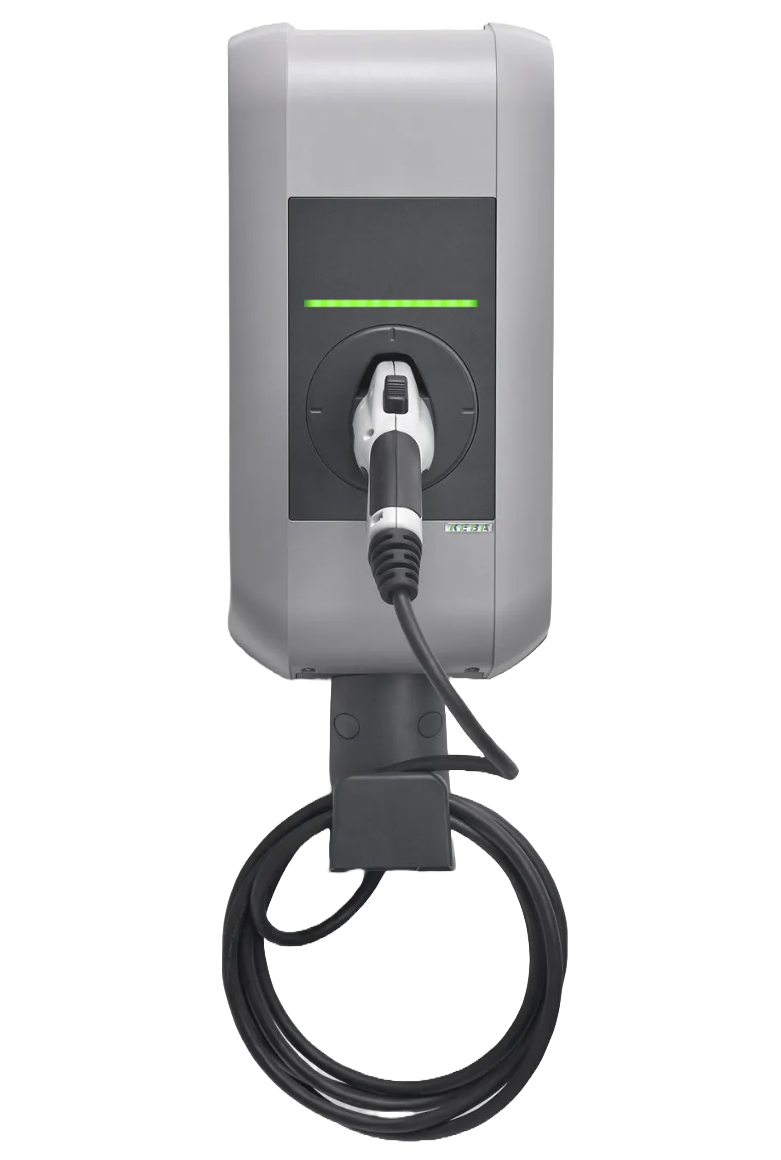
Keba KeContact P20_P30_BMW
Content languageEnglish
Description
KeContact P20, P30 and the BMW wallbox from Keba is only designed for wallbox function block Gen.1. To use the new wallbox function block you can use this UDP communication protocol. UDP is a simple network protocol that belongs to the transport layer of the Internet protocol family.
Important: You have to delete the wallbox under nettwork connection to use the virtual input and outputs. If not you will get an error "port 7090 is already in use).
Setup:
Formula to be used in kW to mA convertion: I1*1000/I2*1000
Status block for State:
Status block for Plug:
FAQ
No questions have been answered yet.
Questions and answers
No communication
OpenHi,
I've set up the UDP things from the xml files, but I don't get any data via the inputs. what could I be missing?
(It was working fine with Wallbox Gen 1)
kind regards Oliver
3 replies
Have you deleted the old connection to the wallbox under network connections? And added the correct IP address and port 7090 under the virtual input and outputs.
Oh, I found that in all the UDP Inputs I needed to update the IP Address of the charging station. Thanks for your quick reply!
Hi Eirik, i am also struggling with the connection right now and getting nothing on the UDP input. DIP switch is activated, under network everything is deleted and I have entered the IP address of the wallbox everywhere. Nevertheless, I receive no data. What else could it be? Could you post a screenshot of what you have set in the UDP inputs? Thanks a lot!
Your setup has a problem with the charging current
OpenIn the screenshot you have connected TP with the Maximum Allowed Charging Current, which is wrong. TP gives you kW. But the current is in Ampere. Do you know how I can fix that, I want to set the maximum kW for PV surplus charging.
4 replies
Also I found that since you have nothing connected to CP the Wallbox doesn't know the current charging rate. I think we need an Input for the "P" value and divide this by 1000000 to get from mW to kW.
I found this because I connected a meter to the Mr and Cp outlets of Wallbox and the Cp stayed at 0 even with the car charging.
Thanks for you observation. I will update this later today. To convert from W to A you can the following formula: Power [W] devided on the Voltage and you will get the Current. example: if your target power is TP 3kw you devide 3000W/230V=13A. Use a formula block, connect TP to I1 and walbox voltage input to I2 and past the following formula in the block: I1*1000/I2
You can then link TP to CP (in) on the wallbox block.
Please contact me at [email protected] and we can finalize the config.
Ok, I am confused. I think I should be able to charge my Tesla 1-3 phase, 5A (1 phase 1200W) - 16A (3 phase 11520W)
TP outputs 23,04 kW
TP * 1000 / 230 = 100.173 A
I need mA so times 1000 I set on [curr] 100173.
Yet, my Tesla tells me that it cannot charge faster than 6A 3-phase. 6A * 3 * 240 = 4320 W and this is what P reports via the new UDP input I set up. So there's something wrong with my understanding.
Unlock plug
OpenHi Eirik,
at the Screenshot there is a virtual output "VQ Unlock plug". How do you use it and what's the UDP command?
Many thanks!
1 reply
Hi UDP command=“unlock” - For this command you have to stop the charging process first. For this, please use the command „ena 0“. Afterwards you can unlock the socket.
Authorization Rejected
OpenHi Eirik,
thanks for this great template. I think in my configuration there is a little problem, because I always get state 5 (Authorization rejected) when I only use the new wallbox block. When I also use the wallbox over network peripherals I can start the charging process and I get state 3. I don't know, what else I can do? Thanks a lot.
Alex
3 replies
Ho Alex, If you always have status 5, you need to set the VQ for enable stat at 1. (start charging in app is one solution) If VQ for enable state is 0 you will always have status 5.
VQ for enable shall always be 1 only 0 when you want to disable charging, example Load shading.
Hope this helps....
BR eirik
Hello Eirik, thanks for your quick reply. I manually set VQ to "1" but the state doesn't change from 5. I've no idea, what's wrong... :-(
Hello Eirik,
after many hours and attempts I found the solution. In the template of the Virtual Outputs is a small mistake in enable state. There is ena [1] and ena [0], but it has to be ena 1 and ena 0 without the square brackets. Maybe that's what you wanted to tell me with your post.
Greetz Alex
- Open
Hello, Thanks for the Library. I tried to implement this; in the screenshot I see a VI called "Real Power" but it´s not in the .xml file. Can you help me with this one?
There is marker "LS Elbil lader" and one "Elbil lader aktiv" - what are these for?
And there is a TI5 and a "VQ Unlock Plug" (it´s not in one of the xml files). Can you help me with these, too?
And finally I can´t read the status text at the status block for Plug
The other UDP inputs like "current I1", "Enable sys" "Max charging current", "Voltage U2" etc. are not necessary?
No replies
Keba P30 Wall box
OpenHi, I have a Keba P30 X wallbox and have problems with data communication. Initially when we plugged into Porche data was coming through and all Kw values look correct, but once we unplugged the Porche it was still showing plugged in on the Loxone App. I contacted Loxone Support in London and they told me to change one of the values on the plug status block in the logic. I did this by the same action happened so I changed it back and now no data is showing on the App. Loxone London have been scratching there heads with this problem and have asked me to contact yourself as you are the creator of the template. We have checked out the communication is working which it is as its showing an IP address. I can provide you with screenshots of the logic and pictures of the wallbox. I have also contacted Keba support in London & Austria and provided them with logfiles of the wallbox and they have also said the wallbox is working correctly and has the latest software update. I hope you can help with this problem.
Best Regards
Garry McManus (Rigar Electrical Services Ltd) Mobile: +4407711887546 Email: [email protected]
1 reply
Hi
I think the problem might be that the reports is not sent.
The reports is only sent for status 5 and 7, try to add 1 in status value for status 1 and 2 as well in the status block for the plug.
This should fix the problem.
Problems with Connection after Update auf Konfig 16.x & Charcing Power in mA
OpenHi Eirik, thank you for your helpful template. Currently, in configuration version 16.x, my KEBA P30 no longer connects and also does not respond to any LOXONE commands. Everything worked flawlessly with configuration version 15.x and your UDP template, except for the correct charging power, which I will address afterwards. After I reinstalled the KEBA plugin, so that the KEBA is displayed again under "Network Peripherals", communication worked again. I did not use any sensors/actuators from this template - strangely, the connection only worked again after the import. There has been an error in the charging power or the conversion from kW to mA because when charging in three phases, the charging current must also be divided by 3. The correct and also functioning formula is: (((I1*1000)/I2)/3)*1000, Best regards,Gunther
No replies
PV Überschussladen
OpenHallo zusammen wie muss ich Wallbox konfigurieren damit ich Überschuss laden kann Und Eingang (RealPower) liefert keine werte kann mir da jemand helfen??
No replies
Kompatibel mit KEBA KeContact P40 Pro
OpenIst denn diese Vorlage auch mit der KEBA KeContact P40 Pro kompatibel?
No replies
Log in to rate, comment or ask a question. Log in
Ratings and comments
Gunther Schreitmüller
Rated 5 of 5★★★★★
verry helpfull
Log in to rate, comment or ask a question. Log in