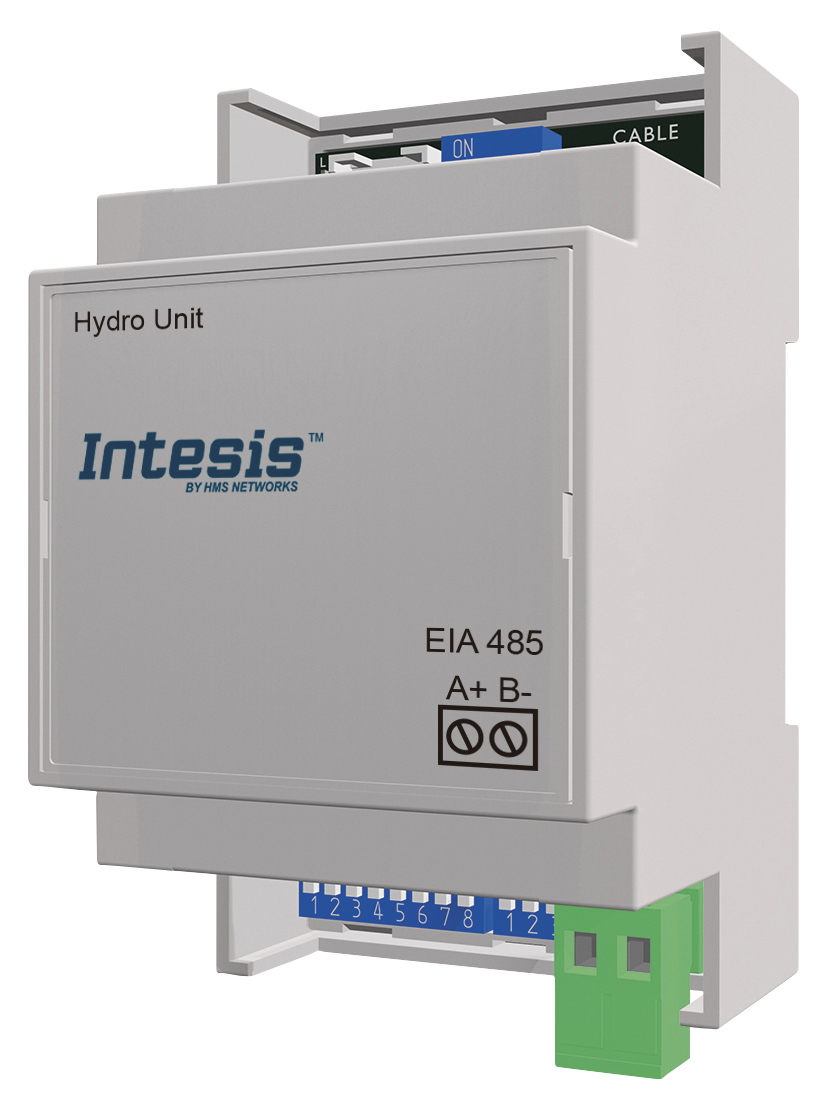
Intesis PAW-AW-MBS-H Panasonic Aquarea
Content languageEnglish
Description
The Intesis MBS gateway is necessary for integrating Panasonic Aquarea heat pumps with the Loxone building automation system. Integrated via Modbus RTU. Intesis gateway allows to control and change necessary parameters for heat pump system using Loxone system for all generations of Aquarea heat pumps H, J, K & L. You can find Loxone Config file in attachment.
Inputs and outputs · 47
| Name | Type | Unit |
|---|---|---|
| 0_System On/Off | Modbus | <v.1> |
| 1_Outdoor temperature | Modbus | °C |
| 2_Outlet water temperature | Modbus | °C |
| 3_Inlet water temperature | Modbus | °C |
| 4_Operating mode | Modbus | <v.1> |
| 5_Heat mode water temp. setting method | Modbus | <v.1> |
| 6_Cool mode water temp. setting method | Modbus | <v.1> |
| 9_Zone 1/Zone 2 On/Off | Modbus | <v.1> |
| 10_Zone 1 sensors | Modbus | <v.1> |
| 11_Zone 2 sensors | Modbus | <v.1> |
| 12_Zone 1 setpoint temperature | Modbus | °C |
| 13_Zone 2 setpoint temperature | Modbus | °C |
| 14_Zone 1 current temperature | Modbus | °C |
| 15_Zone 2 current temperature | Modbus | °C |
| 16_Zone 1 temperature setting mode | Modbus | <v.1> |
| 17_Zone 2 temperature setting mode | Modbus | <v.1> |
| 18_Zone 1 min Setpoint temperature | Modbus | °C |
| 19_Zone 1 max Setpoint temperature | Modbus | °C |
| 20_Zone 2 min Setpoint temperature | Modbus | °C |
| 21_Zone 2 max Setpoint temperature | Modbus | °C |
| 30_Tank On/Of | Modbus | <v.1> |
| 32_Tank current water temperature | Modbus | °C |
| 33_Tank water setpoint temperature | Modbus | °C |
| 34_Tank heater | Modbus | <v.1> |
| 35_Tank min water setpoint temperature | Modbus | °C |
| 36_Tank max water setpoint temperature | Modbus | °C |
| 45_Tank mode energy consumption | Modbus | kW |
| 46_Heat mode energy consumption | Modbus | kW |
| 47_Cool mode energy consumption | Modbus | W |
| 52_Error Code | Modbus | <v.1> |
| 64_Device Status | Modbus | <v.1> |
| 70_Current error status | Modbus | <v.1> |
| 81_Tank connection | Modbus | <v.1> |
| 82_Number of zones | Modbus | <v.1> |
| 83_Zone 1 setup | Modbus | <v.1> |
| 84_Zone 2 setup | Modbus | <v.1> |
| 85_Direction | Modbus | <v.1> |
| 86_Outdoor type | Modbus | <v.1> |
| 0_System On/Off | Modbus | <v.1> |
| 4_Operating mode | Modbus | <v.1> |
| 5_Heat mode water temp. setting method | Modbus | <v.1> |
| 6_Cool mode water temp. setting method | Modbus | <v.1> |
| 9_Zone 1/Zone 2 On/Off | Modbus | <v.1> |
| 12_Zone 1 setpoint temperature | Modbus | °C |
| 13_Zone 2 setpoint temperature | Modbus | °C |
| 30_Tank On/Off | Modbus | <v.1> |
| 33_Tank water setpoint temperature | Modbus | °C |
FAQ
No questions have been answered yet.
Questions and answers
Would it be possible to write a short description of how it works?
OpenIt would be great to have more description about the logic behind the loxconfig. Ex. what DHW means or what actually is going on. Thank you.
1 reply
DHW (Domestic Hot Water) refers to heated water for household uses like bathing or cleaning. In heating systems, it’s the part responsible for providing hot water, often using the same energy source as space heating. Systems like combi boilers manage both tasks, ensuring efficient energy use for heating and hot water.
I wil get a Aquarena Heatpump soon - which Modbus interface to Loxone do I need?
OpenSince I don't have any other Modubus devices Is the modbus Air enough to integrate the Intensis device with my Miniserver?
1 reply
If you only have one modbus device in the installation and you wand a fast installation the modbus Air is the way to go.
If you need more modbus devices and you can pull the wiring than you can go for a modbus extension.
Config without Polish available?
OpenThe non-polish config ist still a lot of polish inside (categories, ...) When I opened with my german config I have a mixture of english, polish and german, which is quite confusing. Is there a chance to have the config completely in in english ??
1 reply
The config file is update with a full EN version. You can findt this in the downlaod section
Log in to rate, comment or ask a question. Log in
Ratings and comments
No ratings or comments yet.
Log in to rate, comment or ask a question. Log in