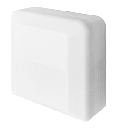
Fujitsu general Limited UTY-VMSX
Description
Notice: Output "03 Set temperature setting" needs a special logic like it's also shown in the Loxone Config example
Inputs and outputs · 12
| Name | Type | Unit |
|---|---|---|
| 57 Indoor temperature status | Modbus | ºC |
| 53 Operation mode status | Modbus | <v> |
| 54 Operation ON_OFF status | Modbus | <v> |
| 55 Set temperature status | Modbus | <v.1> |
| 59 Error monitoring | Modbus | <v> |
| 60 Horizontal air direction | Modbus | <v.1> |
| 63 Economy mode operation | Modbus | <v.1> |
| 01 Operation mode setting_ | Modbus | <v> |
| 02 Operation ON_OFF setting | Modbus | <v> |
| 03 Set temperature setting | Modbus | <v> |
| 04 Airflow setting | Modbus | <v> |
| 05 Vertical air direction position status | Modbus | <v> |
FAQ
No questions have been answered yet.
Questions and answers
Assistance Reading 16-bit Modbus Register for Temperature Limits
OpenHi Loxone Support,
I’m having trouble reading a specific 16-bit Modbus input register from a UTY-VMSX Modbus converter, which is connected to a Fujitsu indoor unit.
According to the device documentation, register **30066** contains the **upper and lower temperature limits** for Cool/Dry mode, with the following format: - **Bits 0–7 (lower byte)** = Upper limit - **Bits 8–15 (upper byte)** = Lower limit - Temperature = set value ÷ 4 (e.g. 20°C = 80)
In Loxone Config, I’ve set up a Modbus input with the following: - **IO Address**: 65 - **Command**: 4 – Read Input Register - **Data Type**: 16-bit Unsigned Integer - **Polling cycle**: 10s
However, I’m consistently getting a value of `0`, even when I’m sure the unit is in Cool mode and temperature limits are set. I’ve tried enabling Byte Order.
Could you confirm: 1. If this setup is correct for reading a 16-bit value at 30066? 2. Whether any additional settings (Byte Order, 0/1 indexing, etc.) could affect this? 3. If there's a way to extract the upper byte as a standalone value using correction or formula blocks?
Any guidance would be much appreciated.
Thanks, Zach
1 reply
Hello Zach,
for the 30066 you need to set IO address 65, command 4-Read Input Register, Data Type 16-bit Unsigned Integer. Byte Order should not be selected. So the settings you made should be correct regarding the documentation.
Te calculate the bits you will get a decimal value this you can put on the binaire decoder so you get all 16 bits as a separate bit
Log in to rate, comment or ask a question. Log in
Ratings and comments
No ratings or comments yet.
Log in to rate, comment or ask a question. Log in