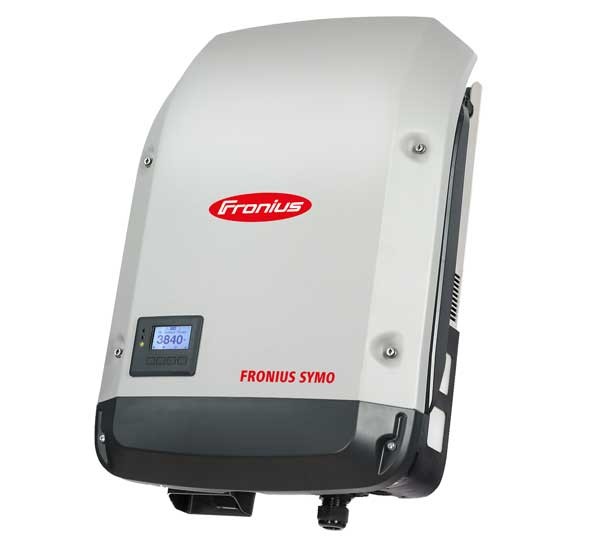
Fronius SnapInverter
Content languageEnglish
Description
If you have a Loxone Miniserver Gen. 2 you can directly integrate Fronius devices via the Fronius plugin in Loxone Config. This allows for quick and easy integration of Fronius components, which are automatically detected on the network. Communication settings on the GEN24 and SnapINverter are configured automatically after entering the technician or service password. Please note: any existing integration (via these templates or direct) must be deactivated or removed before using the plugin.
For systems using the Loxone Miniserver Gen. 1 and Miniserver Go (Article Number 100139), the following integration is available.
Integrate your Fronius Symo or Primo inverter (with Datamanager) into the Loxone SmartHome and monitor and control it. Fronius offers two open interfaces for this purpose, which can be used for the connection. This means that a wide range of use cases can be implemented.
Technical framework conditions and signal description
The Fronius Solar API is an open JSON interface based on Ethernet, which can be used to read out Fronius PV system data. A detailed description of this interface can be found in the document Fronius Solar API V1. An example of this was created in the Loxone config via the Solar API with which the following PV system values can be used in the Loxone controller.
Establishing a connection
To ensure smooth operation, the IP address of the inverter (Datamanager) must be fixed. This can be done via the network router or via the network settings on the Datamanager. To make the necessary settings on the Datamanager, the Datamanager user interface can be opened by entering its IP address in a browser. If the IP address is not known, it can be determined on the router interface or a connection can be established using the Fronius Solar.Start APP.
Connecting the Fronius values to "Loxone Energy Monitor"
Additional information
In the event of any problems with the Solar.API connection, we recommend updating the software of the inverter or Fronius Datamanager 1.0 or 2.0 to the latest software version. How-To Video: Performing a remote inverter update in Solar.web
Inputs and outputs · 3
| Name | Type | Command | Unit |
|---|---|---|---|
| P_Grid | VirtualInHttp | \i"P_Grid" : \i\v | |
| P_Load | VirtualInHttp | \i"P_Load" : \i\v | |
| P_PV | VirtualInHttp | \i"P_PV" : \i\v |
Ratings and comments
No ratings or comments yet.
Log in to rate, comment or ask a question. Log in