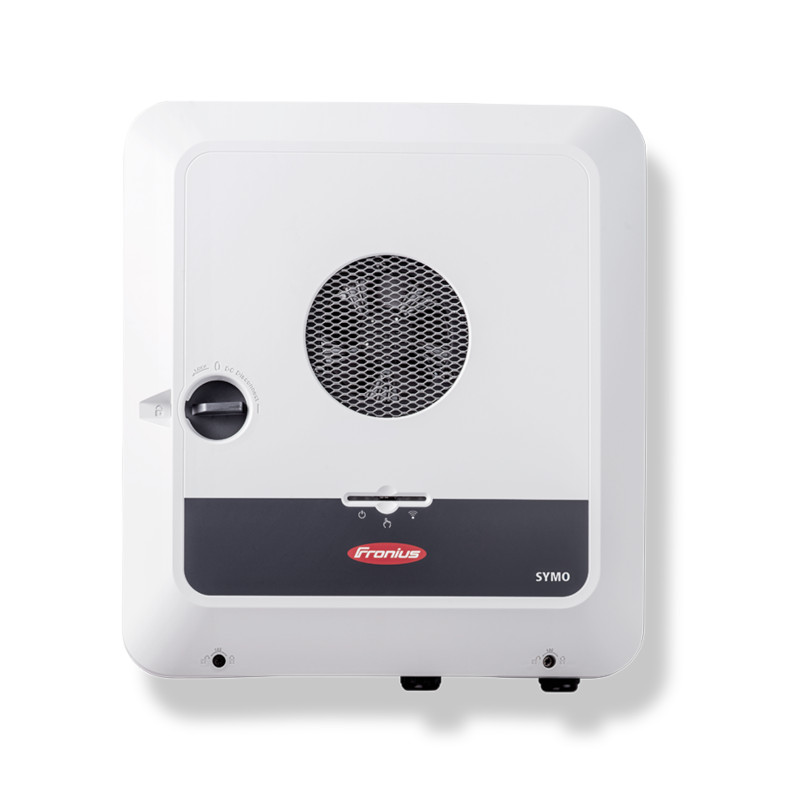
Fronius GEN24
Content languageEnglish
Description
If you have a Loxone Miniserver Gen. 2 you can directly integrate Fronius devices via the Fronius plugin in Loxone Config. This allows for quick and easy integration of Fronius components, which are automatically detected on the network. Communication settings on the GEN24 and SnapINverter are configured automatically after entering the technician or service password. Please note: any existing integration (via these templates or direct) must be deactivated or removed before using the plugin.
For systems using the Loxone Miniserver Gen. 1 and Miniserver Go (Article Number 100139), the following integration is available.
Integrate your Fronius GEN24 inverter into the Loxone SmartHome and monitor and control it. Fronius offers two open interfaces for this purpose, which can be used for the connection. This means that a wide range of use cases can be implemented.
Technical framework conditions and signal description
Fronius offers two open interfaces for connection to the Loxone SmartHome. The Fronius Solar API is a proprietary interface that can be used to read data from the Fronius PV system. SunSpec Modbus TCP is a standardized interface that can be used to control the Fronius inverter and the PV battery.
Solar API The Fronius Solar API is an open JSON interface based on Ethernet, which can be used to read out Fronius PV system data. A detailed description of this interface can be found in the document Fronius Solar API V1. An example of this was created in the Loxone config via the Solar API with which the following PV system values can be used in the Loxone controller.
Sunspec Modbus TCP Modbus SunSpec is an open communication protocol based on Modbus and complies with the SunSpec Alliance standard. This makes it possible to integrate Fronius inverters into third-party systems via Modbus. SunSpec Modbus TCP can be used not only to read out data from the PV system, but also to control the Fronius inverter and the PV battery.
All these values can be used to specify fixed charging or discharging capacities as well as charging and discharging windows in which the inverter can operate independently. Details can be found in the document Fronius GEN24 - Modbus TCP and RTU (42,0410,2649)
These values are only an excerpt of the available Modbus registers. A complete overview can be found in the document collection GEN24 Plus Modbus SunSpec Maps, State Codes and Events in the document "GEN24_Primo_Symo_Inverter_Register_Map_Int&SF_storage.xlsx".
Establishing a connection
To ensure smooth operation, the IP address of the GEN24 must be fixed. This can be done via the network router or via the network settings on the GEN24. To make the necessary settings on the GEN24, the GEN24 user interface can be opened by entering the IP address of the GEN24 in a browser. If the IP address is not known, it can be determined on the router interface or a connection can be established using the Fronius Solar.Start APP. The following two communication settings must be made:
Solar API This setting can be found under: Communication/Solar API
"Activate communication via Solar API" must be set for this.
Modbus
This setting can be found under: Communication/Modbus
To make these settings, the "Customer" or "Technician" password, which was assigned when the GEN24 was commissioned, is required. Please contact the owner or the PV installer who carried out the commissioning if this is not known.
Connecting the Fronius values to "Loxone Energy Monitor"
Additional information
In the event of any problems with the Solar.API or SunSpec Modbus connection, we recommend updating the software of the inverter or Fronius Datamanager 1.0 or 2.0 to the latest software version. How-To Video: Performing a remote inverter update in Solar.web
Inputs and outputs · 5
| Name | Type | Command | Unit |
|---|---|---|---|
| P_Grid | VirtualInHttp | \i"P_Grid" : \i\v | |
| P_Battery | VirtualInHttp | \i"P_Akku" : \i\v | |
| SOC | VirtualInHttp | \i"SOC" : \i\v | |
| P_Load | VirtualInHttp | \i"P_Load" : \i\v | |
| P_PV | VirtualInHttp | \i"P_PV" : \i\v |
FAQ
No questions have been answered yet.
Questions and answers
Modbus Table geändert?
OpenHi liebes Fronius Team,
vielen Dank für die Bereitstellung der Library für die Loxone integration. Jedoch klappt bei mir leider die Regelung nicht. Es sieht so aus als würde der Wert StorCtl_Mod nicht geschrieben werden. Die Punkte laut PDF habe ich überprüft - Prio im Energiemanagement sollte passen (1. Batterie). Hat sich ggf. die Modbus Table seit dem letzte Update geändert. Mein Gen24 läuft aktuell mit Version 1.24.6-1.
Die Werte werden übrigens korrekt eingelesen, lediglich die Umschaltung (schreiben) hat keinerlei Auswirkung leider.
Vielen Dank für Ihre Hilfe
Viele Grüße Stef
No replies
Funktioniert nicht
OpenHallo! Ich habe diese Vorlage importiert und die Variablen liefern auch Werte, allerdings reagiert der Gen24 in keinster Weise auf die Wertänderung "Sollwert in Watt" ... Manueller Modus ist natürlich aktiviert. Im Gen24 ist alles laut Beschreibung eingestellt. Ist diese Vorlage noch aktuell? Woran kann das liegen? Danke Günter
No replies
Funktioniert nicht.
OpenHallo! Ich habe alles gemäß Anleitung gemacht aber leider scheint der Gen24 nicht auf die manuelle Steuerung zu reagieren. Ist diese Vorlage noch aktuell? Danke Günter
No replies
Keine Werte
OpenWenn ich meinen Wechselrichter einbinde, erscheinen trotzdem keine Werte. Ist das Template noch aktuell?
No replies
Trotz richtiger Integration in Loxone werden keine Daten übermittelt.
OpenHallo Fronius Team. Ich habe schon einige Gen24 in Loxone Visualisierungen integriert. Heute hatte ich aber einen Gen24 8kW der trotz aktivierter Modbus Schnittstelle keine Werte liefert. Es würde michr auch besser gefallen wenn ihr ein Template für den Gen24 als Modbus TCP Netzwerkgerät generieren könntet. Das mit den virtuellen Eingängen schaut irgendwie unfertig aus. Gibt es mit den neuesten Firmwares des WR möglicherweise Änderungen weshalb keine Werte ankommen? Bitte um mithilfe bei der Problemlösung.
No replies
erweiterung Smartmeter
OpenS.g. Team ,
wir haben öfters das Thema das wir bei Kunden mehrere Smartmeter verbaut haben und würden diese gerne einbinden , da es über die API schnittstelle und einlesen des Vitrtuellen eingang sehr mühsam ist wäre es perfekt dieses direkt in den Gerätebausteinen zu implementieren . Danke
lg Patrick Münzker
No replies
erweiterung Smartmeter
OpenS.g. Team ,
wir haben öfters das Thema das wir bei Kunden mehrere Smartmeter verbaut haben und würden diese gerne einbinden , da es über die API schnittstelle und einlesen des Vitrtuellen eingang sehr mühsam ist wäre es perfekt dieses direkt in den Gerätebausteinen zu implementieren . Danke
lg Patrick Münzker
No replies
- Open
Hi there,
I am currently working on a project that combines a Fronius GEN24 inverter with battery storage, a KEBA KeContact P30 wallbox (Model: KC-P30-EC2204B2-L0R-CC), and a Loxone Miniserver. The customer is operating under a strict zero feed-in requirement. Therefore, the Fronius inverter is configured to limit grid export to 0 W at all times. Our goal is to achieve the following behavior:
1. Supply household loads first. 2. Charge the battery until it reaches a defined state of charge (e.g. 95–100%). 3. Use any remaining PV surplus to charge the electric vehicle via the KEBA wallbox. 4. Maintain zero export to the public grid at all times.
The challenge is that, due to the zero feed-in configuration, the KEBA wallbox never detects a negative grid power value (export) and therefore cannot use its standard PV surplus charging logic. We are therefore considering using a Loxone Miniserver as an energy management system that:
• Reads PV production, house consumption, battery SOC and battery charging/discharging power from the Fronius GEN24. • Calculates the available surplus power. • Dynamically adjusts the charging current of the KEBA wallbox.
Could you please advise: • Is there a recommended integration concept for this scenario? • Are there any existing Loxone Config templates, function blocks, examples, or application notes available? • Is there an officially supported method to dynamically control the KEBA charging current through Loxone?
Any documentation, sample projects, or best-practice recommendations would be greatly appreciated. Thank you very much for your support.
Kind regards
No replies
Log in to rate, comment or ask a question. Log in
Ratings and comments
No ratings or comments yet.
Log in to rate, comment or ask a question. Log in