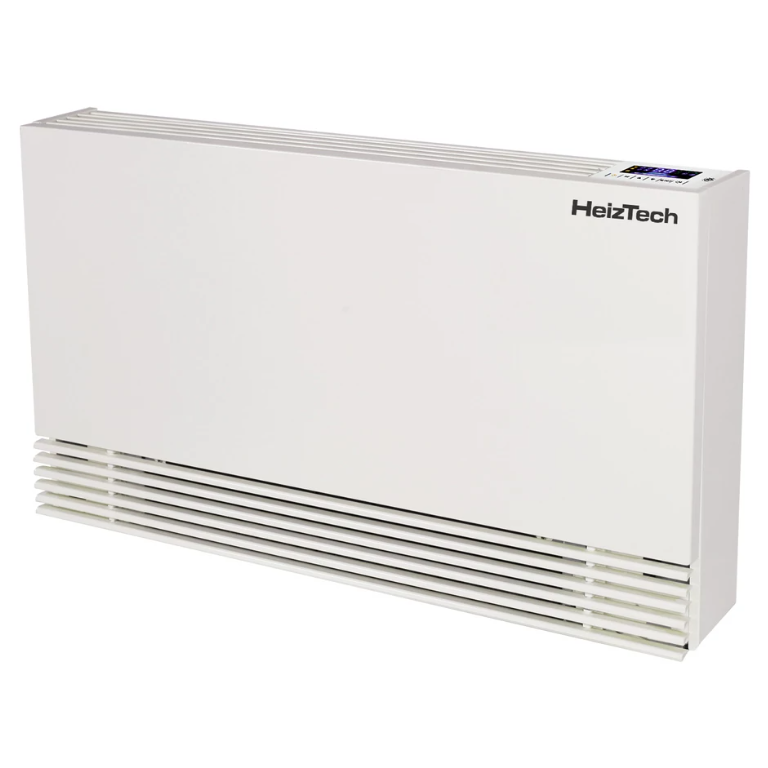
BM fan coil unit - C series
Content languageEnglish
Description
The same BM fan coil unit is available under multiple brands, such as HeizTech, Energy Save, Amitime, etc. According to the documentation, they are the same devices, and the template should be compatible with each of them.
Integrating the fan coil units into the Loxone system offers the possibility of:
- optimized, demand-based heating and cooling in each installation zone; - interaction with other devices in the heating/cooling system e.g., heat pumps, heating appliances; - data aggregation and monitoring of the operation of each individual unit; - visual representation of the system's status in the Loxone application;
Connecting to the units via Modbus: Connecting the fan coil units to the Modbus extension is fairly simple, use a twisted pair to connect the unit's RS-485 terminal to the Loxone Modbus extension. Please ensure that the power is switched off to eliminate any risk of electric shock. The PCB of the fan coil has a 4-pin female connector. The cable from the module must be terminated with a 4-pin male connector (to be crimped on), which is not included in the package by the manufacturer. See the following image for reference:
When crimping the connectors, please ensure the correct pin placement. The A and B pins are interchanged on the fan coil units compared to the Modbus extension. The correct connection diagram is the following:
Each unit comes by default with the following connection parameters:
- Baud rate: 19200 bps - Parity: Even - Stop bit(s): 1 - Data bit(s): 8 - Modbus address: 1
Only the Modbus address can be changed from the device's screen in parameter 12, in range 1-16. All the other parameters can be modified through Modbus, which requires first establishing a successful connection between the Modbus client and the fan coil unit. Please note that the register called 485 communication in parameter 9 MUST BE TURNED OFF for Modbus connection, as otherwise it will cause a fault with code E7 in the device.
Modbus template and example configuration In the Modbus template are included the most important registers refering to the operational parameters of the fan coil unit. Some registers may be useful only during initial configuration, such as the communication parameters, but are included in the template. You can find the complete Modbus register map below in the files section. The documentation contains 1 base addresses, in Loxone the user must subtract one from each address, see the registers in the template as examples.
For better understanding, a simple Loxone Config example is provided in the files section with a simple use case for remote control of the fan coil unit from the Loxone application. The detailed documentation of the product is also attached.
Inputs and outputs · 28
| Name | Type | Unit |
|---|---|---|
| Setting mode | Modbus | <v.1> |
| Set temperature | Modbus | <v.1> |
| Set air volume | Modbus | <v.1> |
| Sleep function | Modbus | <v.1> |
| Relay 1 | Modbus | <v.1> |
| Relay 2 | Modbus | <v.1> |
| Fan speed | Modbus | <v.1> |
| Air inlet temperature | Modbus | <v.1> |
| Water inlet temperature | Modbus | <v.1> |
| Working mode | Modbus | <v.1> |
| Baud rate | Modbus | <v.1> |
| Parity bit | Modbus | <v.1> |
| Stop bit | Modbus | <v.1> |
| Data bit | Modbus | <v.1> |
| Modbus address | Modbus | <v.1> |
| Setting mode | Modbus | <v.1> |
| Set temperature | Modbus | <v.1> |
| Set air volume | Modbus | <v.1> |
| Sleep function | Modbus | <v.1> |
| Relay 1 | Modbus | <v.1> |
| Relay 2 | Modbus | <v.1> |
| Fan speed | Modbus | <v.1> |
| Working mode | Modbus | <v.1> |
| Baud rate | Modbus | <v.1> |
| Parity bit | Modbus | <v.1> |
| Stop bit | Modbus | <v.1> |
| Data bit | Modbus | <v.1> |
| Modbus address | Modbus | <v.1> |
Ratings and comments
No ratings or comments yet.
Log in to rate, comment or ask a question. Log in